Two very different things are called "AI 3D"
Many AI 3D generators produce a mesh: a surface of triangles that looks right on screen. That is fine for games and concept art, but an engineer cannot change a hole from 6 to 8 mm in a mesh, because the mesh has no idea there is a hole.
Text-to-CAD is different when it is done properly. The AI does not draw triangles. It writes the same instructions a designer would use in a CAD program: a sketch, an extrude, a hole, a fillet. A geometry kernel then builds an exact solid from those instructions. Every number stays editable.
How VIZON does it
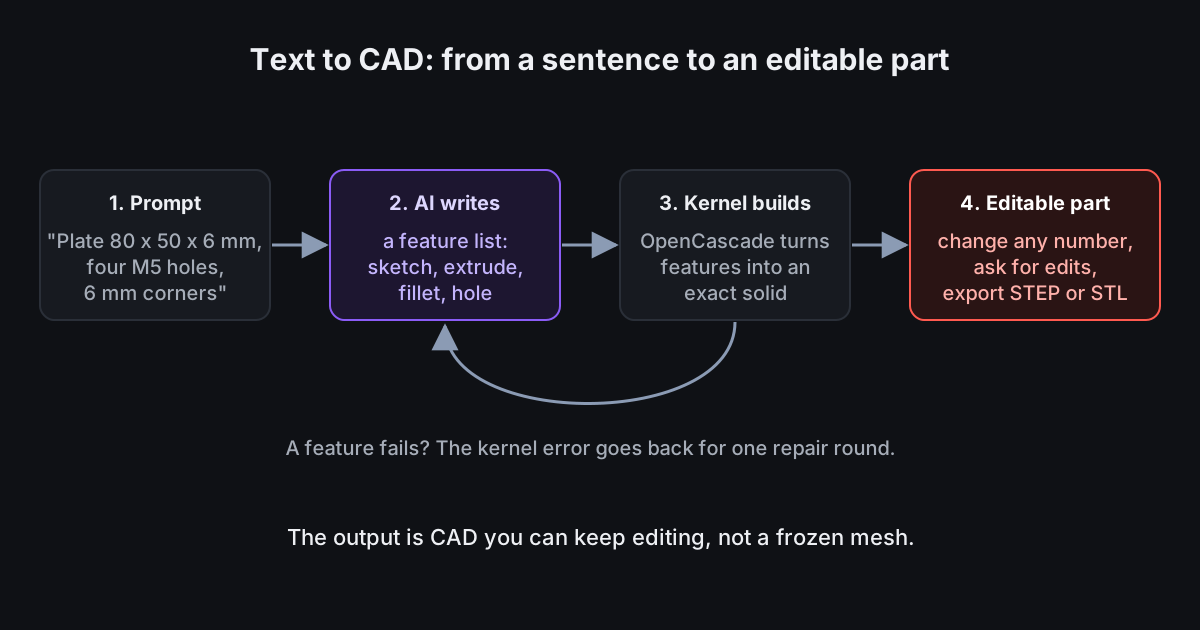
- You describe the part with its sizes, for example "a plate 80 by 50 mm, 6 mm thick, with four M5 holes and 6 mm rounded corners".
- The AI returns a parametric feature list in millimetres: sketches on planes, extrudes, holes, fillets, chamfers, shells and patterns.
- The OpenCascade CAD kernel, running in your browser, builds an exact solid from the list.
- If a feature fails, for example a fillet larger than the wall, the kernel error goes back to the AI for one automatic repair round.
- You get an ordinary CAD part: double-click any feature to change it, or ask the AI for the next change.
What a real result looks like
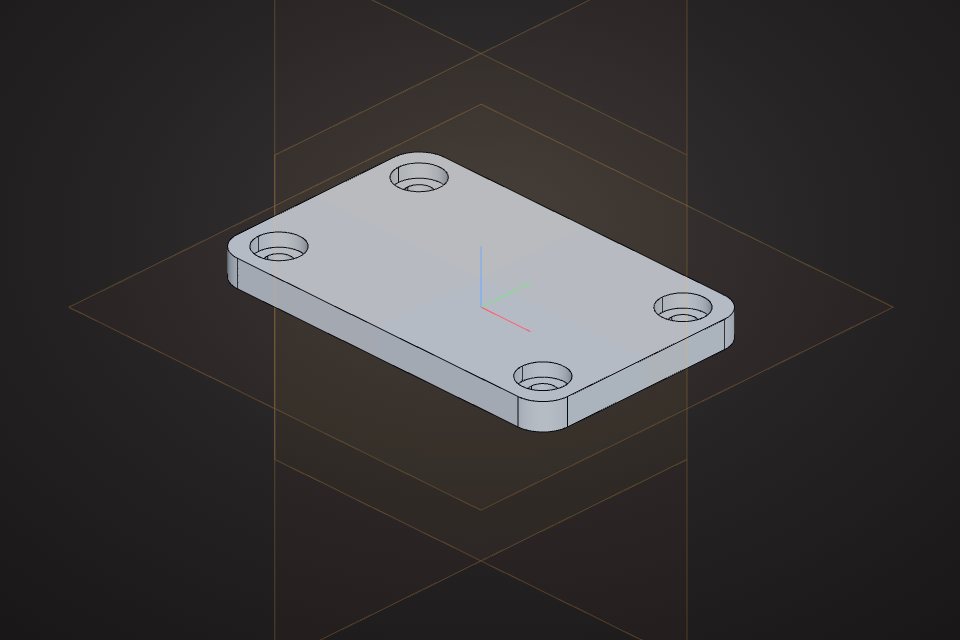
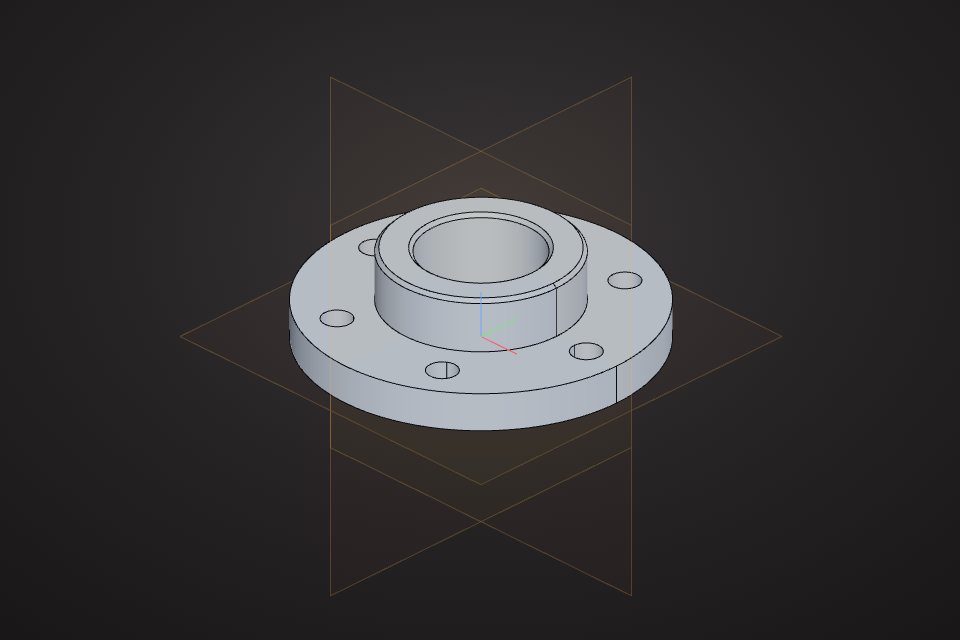
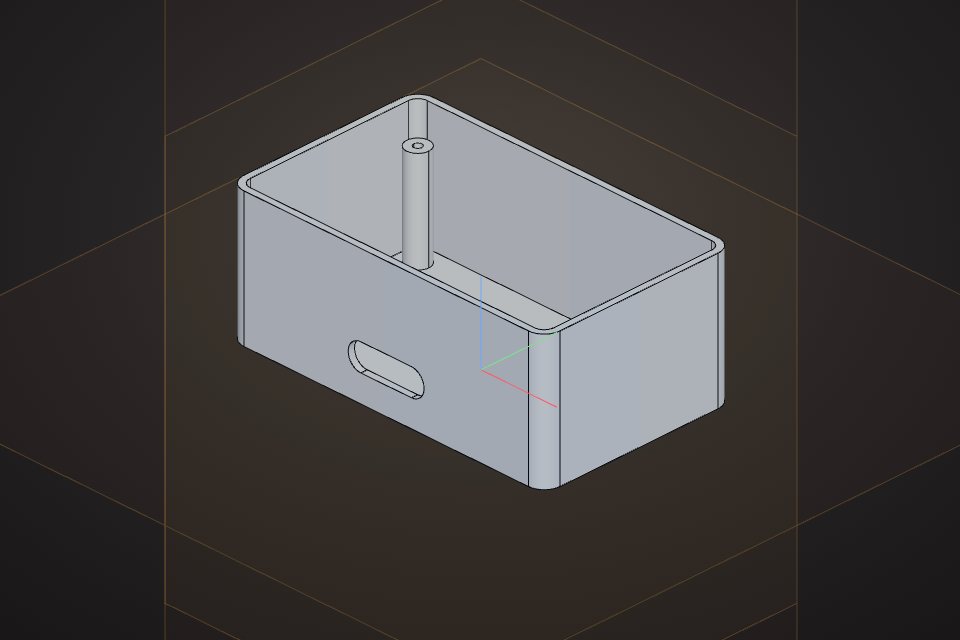
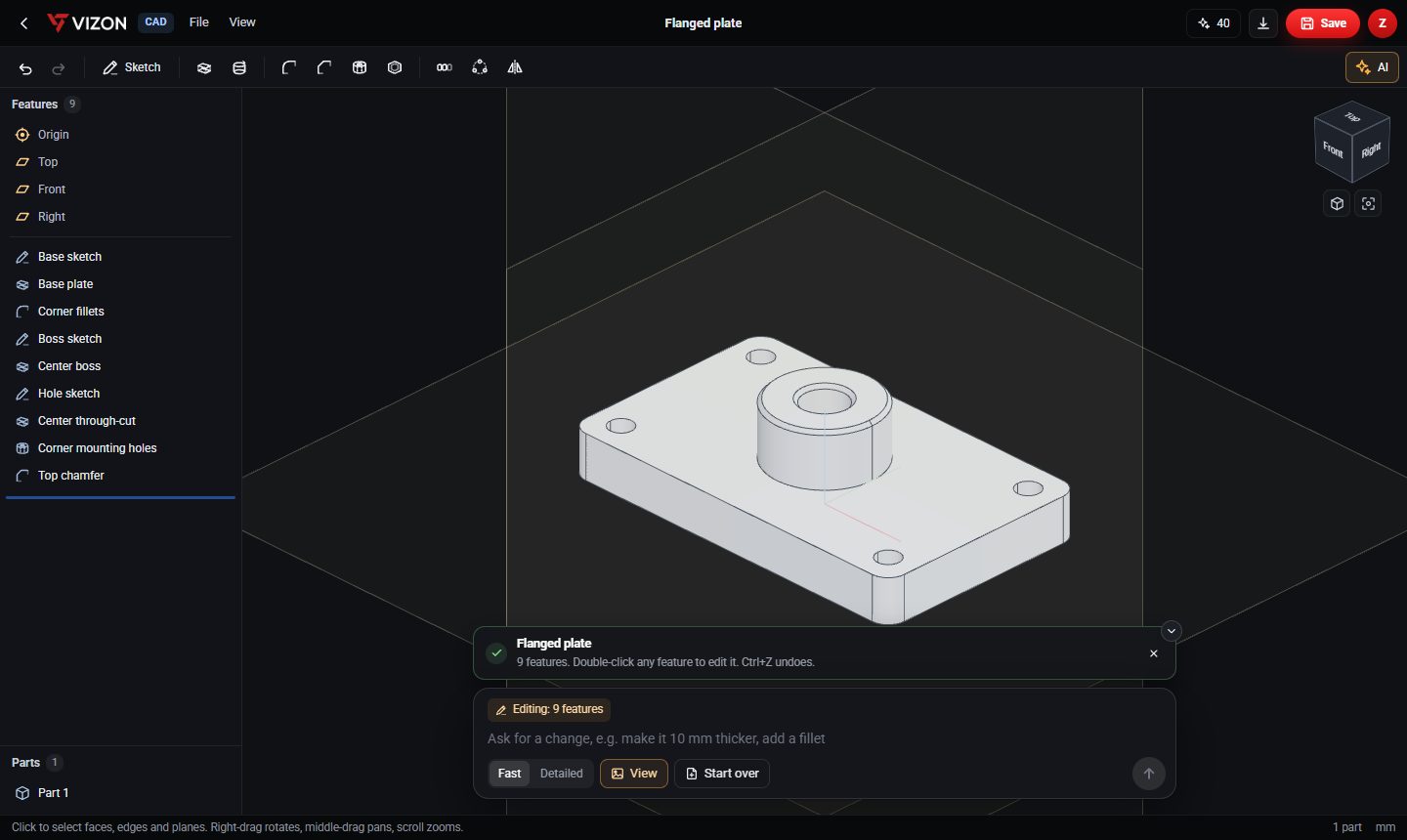
The part above came out as nine named features: base sketch, base plate, corner fillets, boss sketch, centre boss, hole sketch, centre through-cut, corner mounting holes and a top chamfer. Because they are real features, making the plate thicker is one number, and the holes stay in the right place.
How to write a prompt that builds first time
- Start with the base shape and overall size: "a rectangular plate 120 by 80 mm, 8 mm thick".
- Use CAD words: hole, through hole, counterbore, boss, slot, fillet, chamfer, shell, pattern.
- Say where things go: centred, 15 mm from each corner, on the top face, on a 100 mm bolt circle.
- Ask for repeated features as a pattern: "six M8 holes on a 100 mm bolt circle".
- Use standard hardware sizes: 3.4 mm clearance for M3, 5.5 mm for M5, 6.6 mm for M6.
- Change one thing at a time afterwards: "make the boss 5 mm taller".
Editing with words
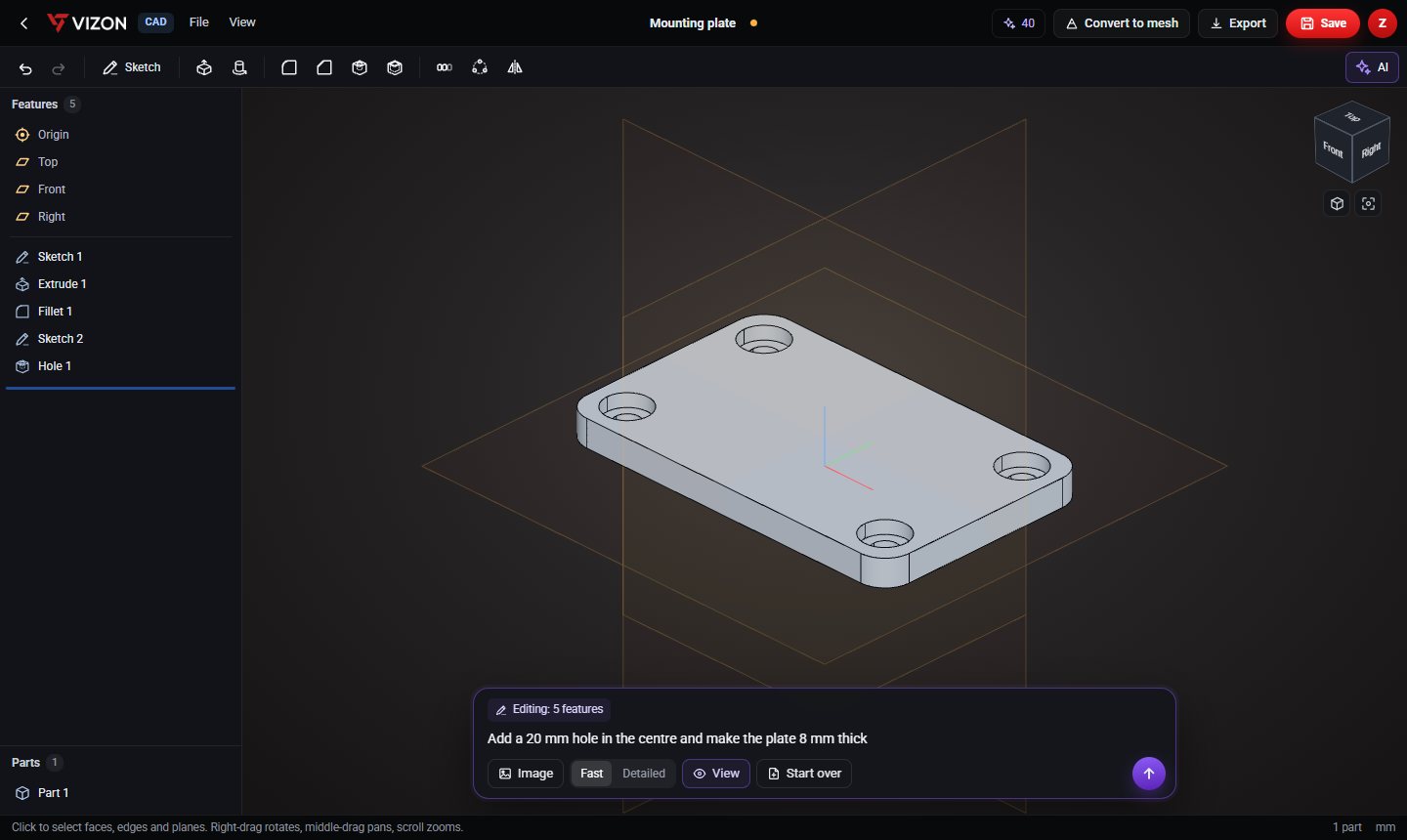
The second half of AI CAD is editing. With a part open, VIZON sends the AI the current feature list and a picture of your view, so "add a 20 mm hole in the centre" changes the existing part instead of starting again. Each change is one undo step.
Where AI CAD helps, and where it does not yet
AI CAD is strongest on prismatic and turned parts: plates, brackets, flanges, spacers, enclosures, knobs, pulleys and heatsinks. These are made of standard features, which is exactly what the AI writes.
It is weaker on freeform surfaces, complex assemblies and anything that needs a precise standard profile, such as a true involute gear tooth. For those, use AI for the starting block and finish by hand.