Good for
- Housings for Arduino, ESP32 and Raspberry Pi Pico projects
- Sensor and battery boxes
- A template for any custom enclosure size
A 3D-printable project box for small electronics. The outer block gets rounded vertical corners, then a shell feature hollows it to 2 mm walls with the top left open. Four screw bosses with 2.5 mm pilot holes take M3 screws for a lid, and a slot in the front wall leaves room for a cable.
Free to use under CC BY 4.0. Made in VIZON CAD.
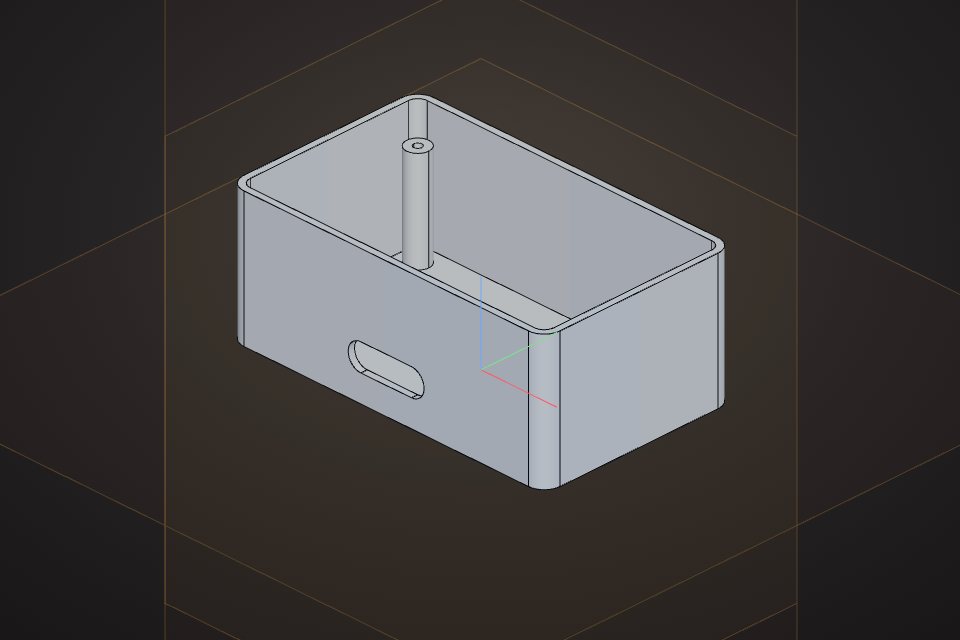
Solid volume: 39,016 mm³, measured by the VIZON CAD kernel.
| Outside size | 100 x 60 x 40 mm |
|---|---|
| Wall | 2 mm |
| Corner radius | 5 mm |
| Screw bosses | 4 x M3 pilot (2.5 mm) |
| Cable port | 24 x 8 mm slot |
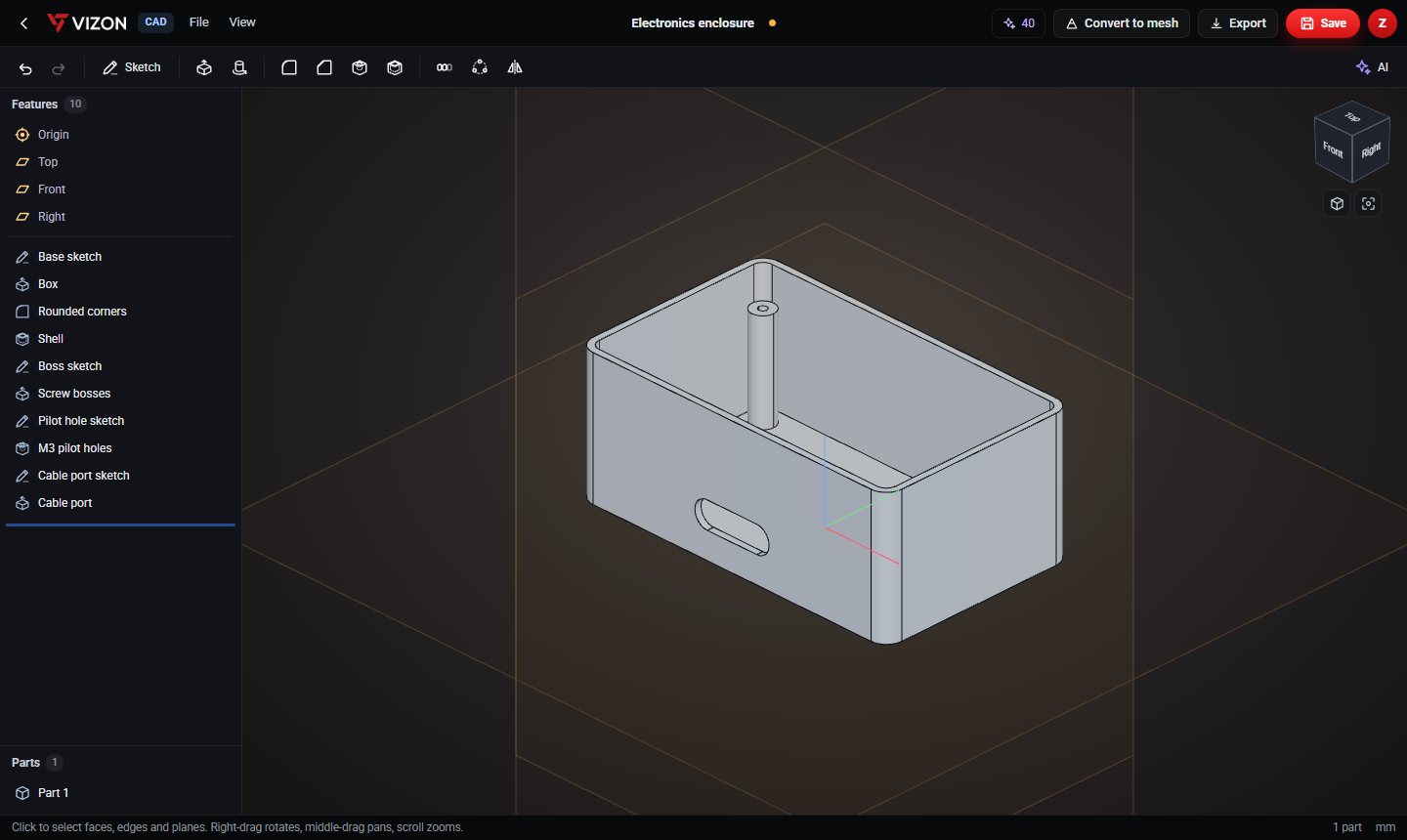
This part is 10 parametric features in the VIZON CAD editor. Each line below is one feature in its feature list, so every size can be changed and the part rebuilds.
Step-by-step walkthrough: Design a Parametric Electronics Enclosure, Step by Step.
| Feature | Type | Settings |
|---|---|---|
| Base sketch | Sketch | Top plane · 1 item |
| Box | Extrude | New · 40 mm |
| Rounded corners | Fillet | r 5 mm · vertical edges |
| Shell | Shell | 2 mm wall |
| Boss sketch | Sketch | Top + 2 mm · 4 items |
| Screw bosses | Extrude | Add · 30 mm |
| Pilot hole sketch | Sketch | Top + 32 mm · 4 items |
| M3 pilot holes | Hole | Ø2.5 · 20 mm deep |
| Cable port sketch | Sketch | Front + 30 mm · 1 item |
| Cable port | Extrude | Remove · 10 mm |
Yes. Download it as STEP or STL and use it under CC BY 4.0: free for any purpose, including commercial use, with credit to VIZON.
Yes. Open the STEP file in the VIZON CAD editor to add features, or rebuild it from the feature list on this page and change any number.
The STL. It is exported in millimetres with Z up, ready for any slicer. Use STEP if you want to keep editing in CAD.
Sketch it, or describe it with sizes and let the AI write the features.