
Sketches and features
A sketch is a 2D drawing on a plane: rectangles, circles, slots and lines with sizes. A feature turns sketches into 3D, or modifies the solid: extrude, revolve, hole, fillet, chamfer, shell, pattern, mirror.
The feature history
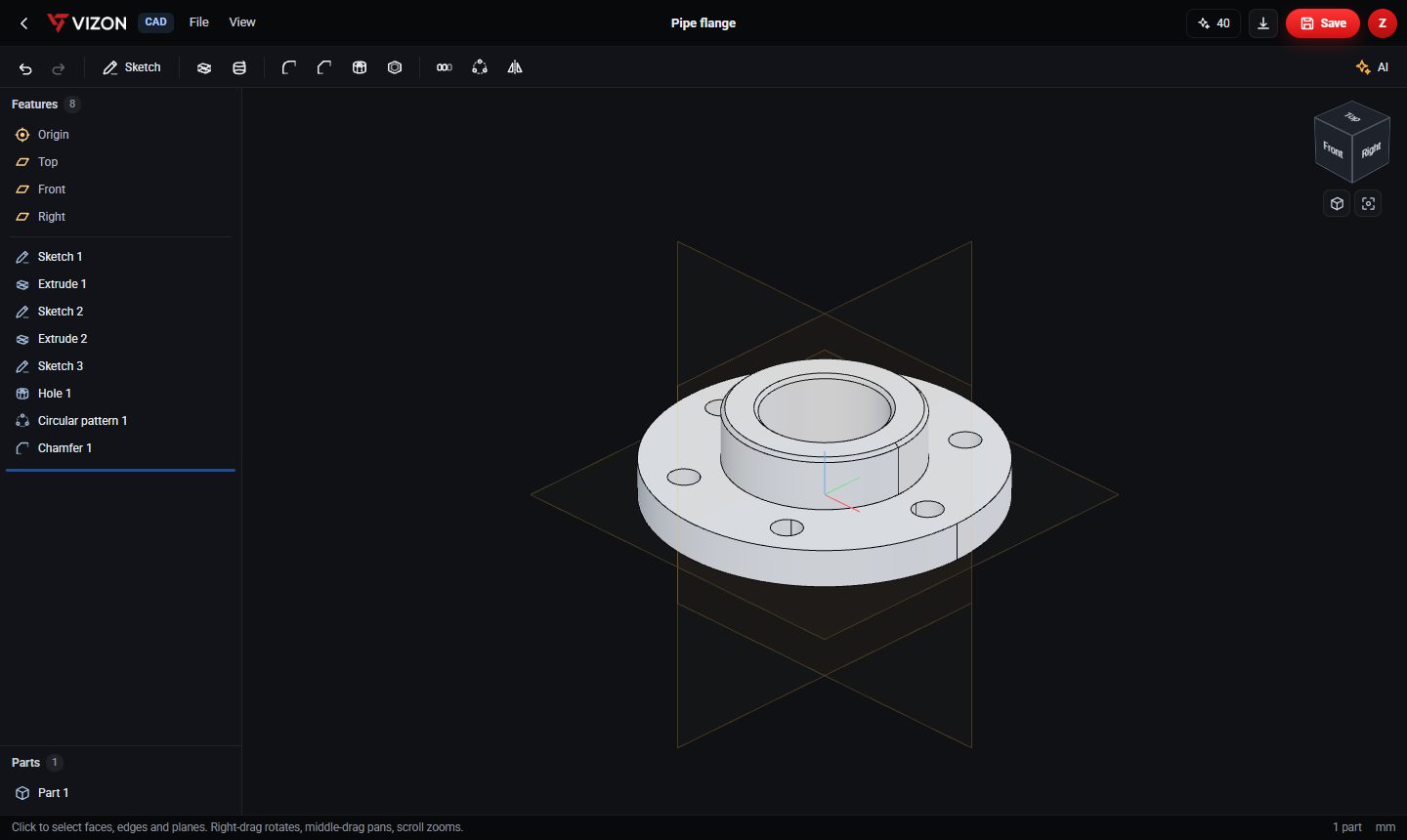
Features are stored in order. Each one builds on the result of the ones before it. The flange shown above is eight steps: two sketch-and-extrude pairs for the disc and hub, a sketch and a hole for one bolt hole, a circular pattern that repeats it, and a chamfer.
Design intent
Because the bolt holes come from a pattern, the design says "six equally spaced holes", not "six holes at these coordinates". Change the count to eight and the spacing follows. Capturing intent like this is the main advantage of parametric CAD over editing a mesh.
Rolling back and suppressing
In VIZON you can drag the rollback bar to an earlier point in the history and insert a feature there, or suppress a feature to see the part without it. Every save also keeps a version you can restore.
When parametric CAD is the right choice
- Parts that must fit other parts.
- Anything you will 3D print to size or have machined.
- Designs you expect to revise, or make in several sizes.